ReadyPrint | How to cancel your ReadyPrint plan
Applies To
- Software/Service: ReadyPrint Flex and ReadyPrint EcoTank.
Description
To cancel your ReadyPrint Flex or EcoTank plan, follow the instructions below.
Solution
- Log in to the Epson ReadyPrint portal.
-
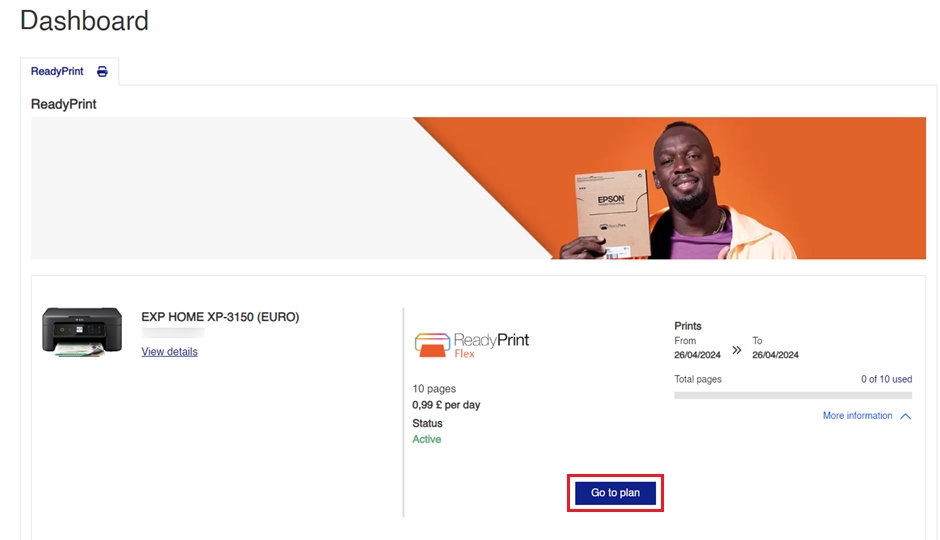
On the home screen, click Go to plan.
-
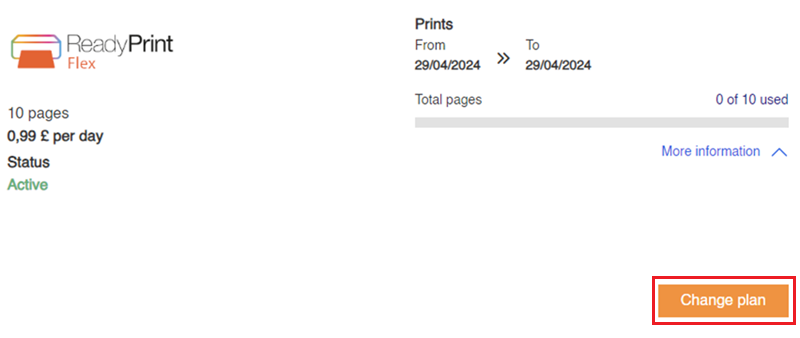
Click Change plan.
-
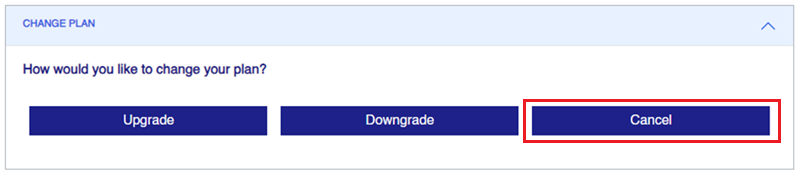
Click Cancel.
-
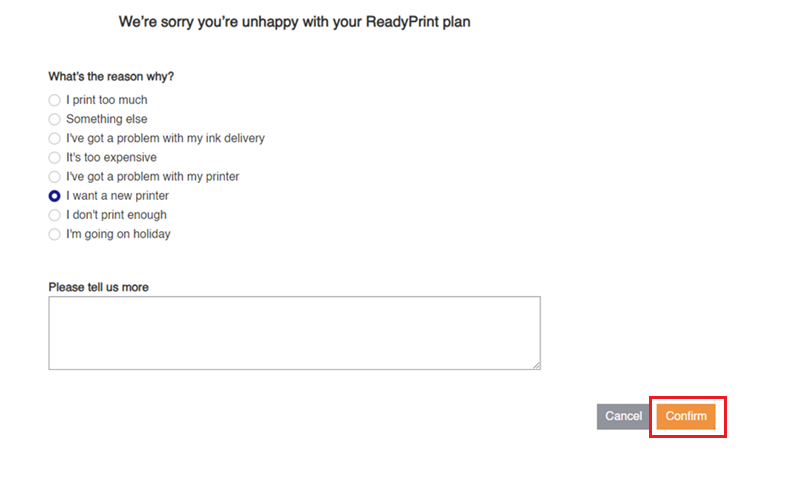
Select the reason for cancelling and click Confirm.
You'll still be able to use your plan until the end of the current billing cycle. Unless you print more pages than your monthly allowance, no further payments will be taken.
If you have a ReadyPrint Flex plan using subscription ink cartridges, these continue to work until the end of the current billing cycle, after which they'll need replacing with non-subscription (retail) cartridges.
Note: ReadyPrint Flex ink cartridges will only work with an active ReadyPrint Flex plan.
